Skip to content

Features for Access

Explore identity, check in, employee experience and guest workflows, with practical tools behind every step.

Badges and identity

Issue a trusted identity, create branded badges and control what a QR scan reveals.

Smart Badge Management

Issue, replace and manage employee badges from one place, with a clear record of every card.
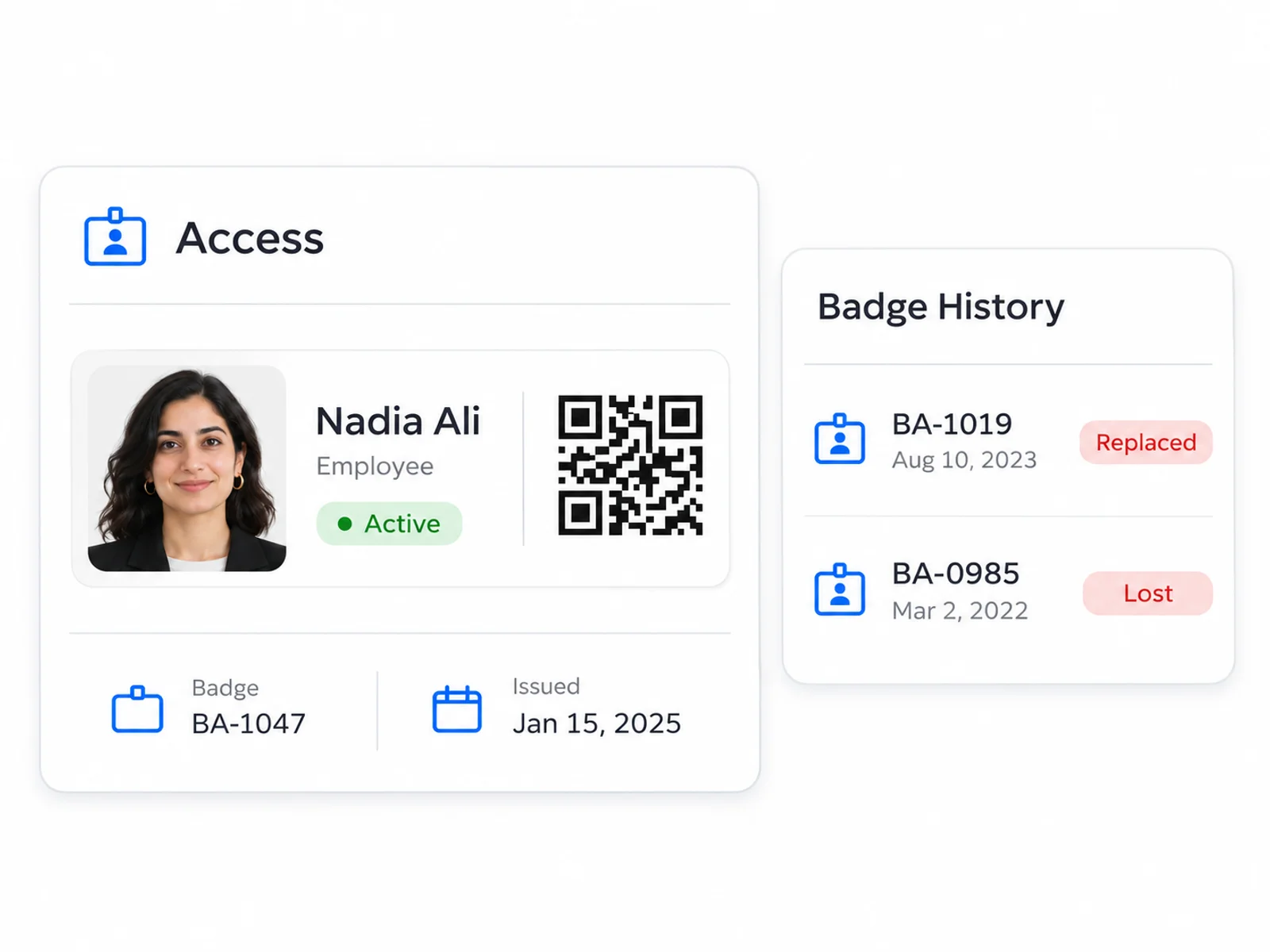
  • Create a badge for each employee
  • Manage lost cards and replacements
  • Keep a clear history of badge changes
Explore Smart Badge Management
Employee credential with one active badge and older replaced and lost badges in its history

Badge Design and Printing

Create professional employee badges that reflect your brand, then print or download them individually or in batches.
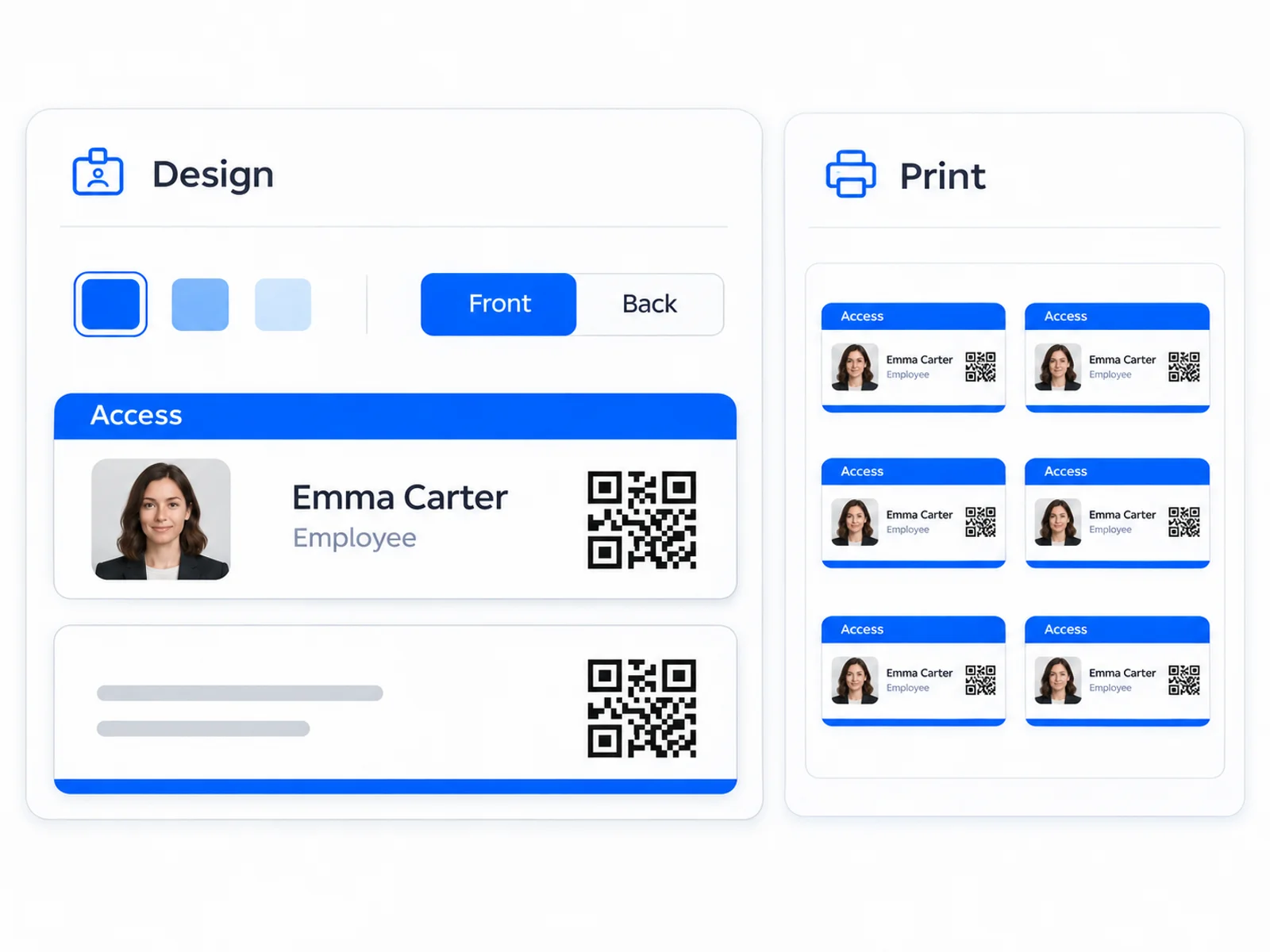
  • Choose your layout, colors and badge details
  • Preview logos, photos and both sides of the card
  • Print or download one badge or a batch
Explore Badge Design and Printing
Badge designer with front and back previews beside a sheet of employee badges ready to print

Public QR Verification

Let a quick badge scan show who a person is and whether their badge is valid.
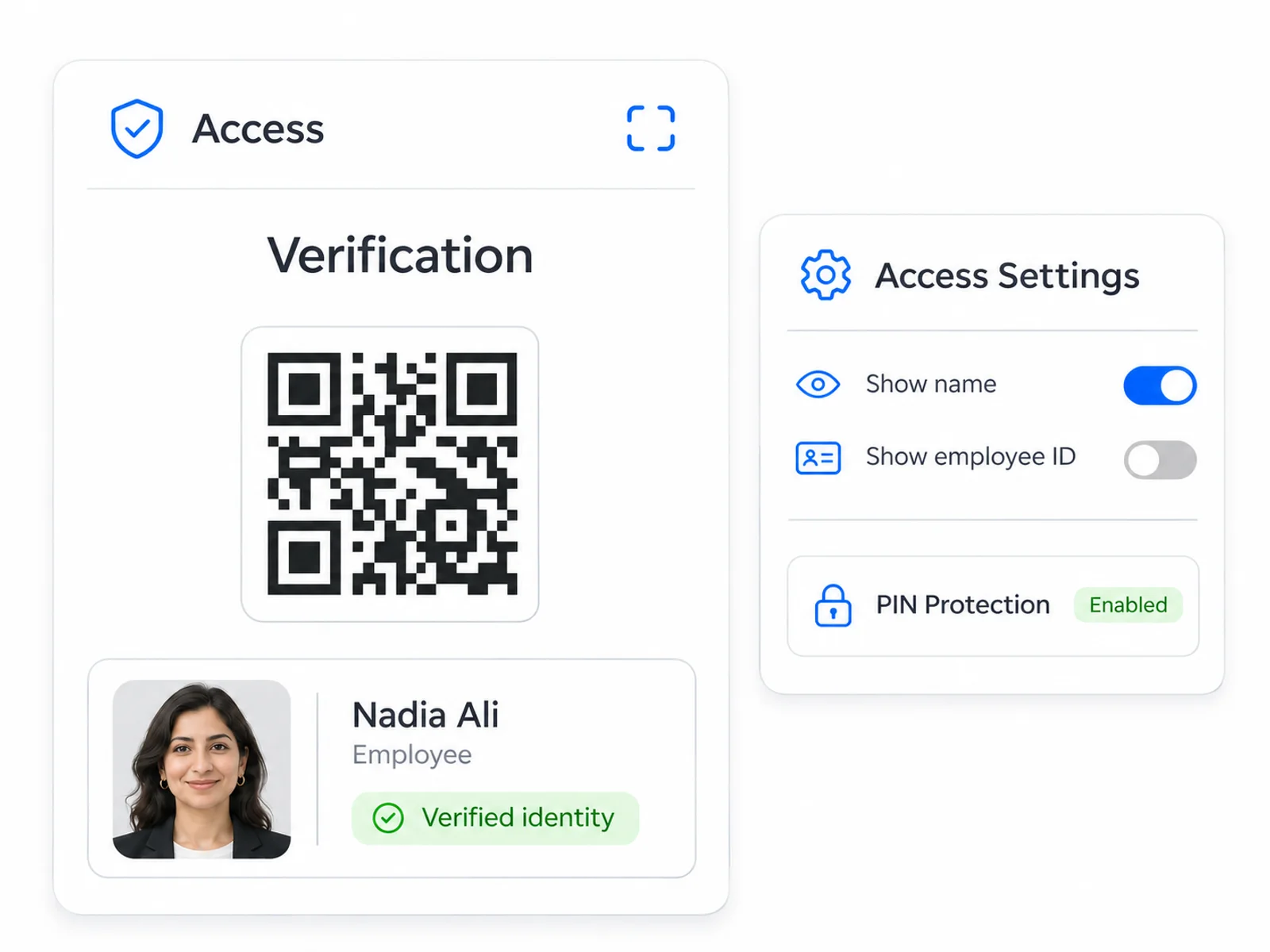
  • Show the employee photo and chosen details
  • Make badge status clear after a scan
  • Choose what is shared and add PIN protection
Explore Public QR Verification
Branded employee verification page beside public field visibility and PIN protection settings

Check in and security

Verify people through web and Android scanners, apply access policies and review recorded events.

Web and Android Offline Check in

Keep employee and visitor checks moving, even when your internet connection drops.
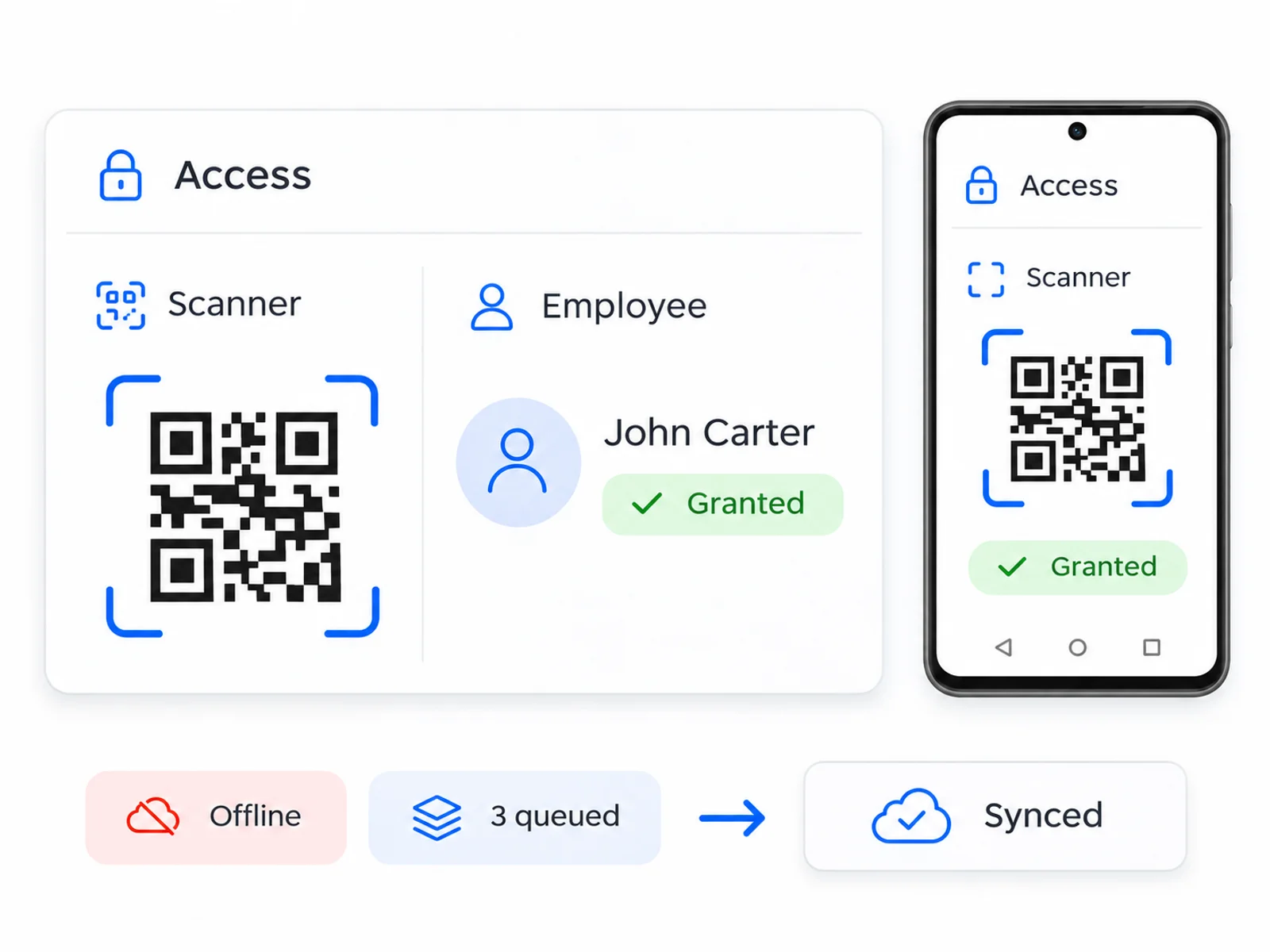
  • Check employee and guest badges using a camera
  • Continue checks with your latest saved information
  • Save events to share when the connection returns
Explore Web and Android Offline Check in
Web scanner and Android phone showing a QR result with queued offline events and synchronization

Zones and Access Schedules

Choose where and when employees and visitors are allowed access, with rules your team can manage in one place.
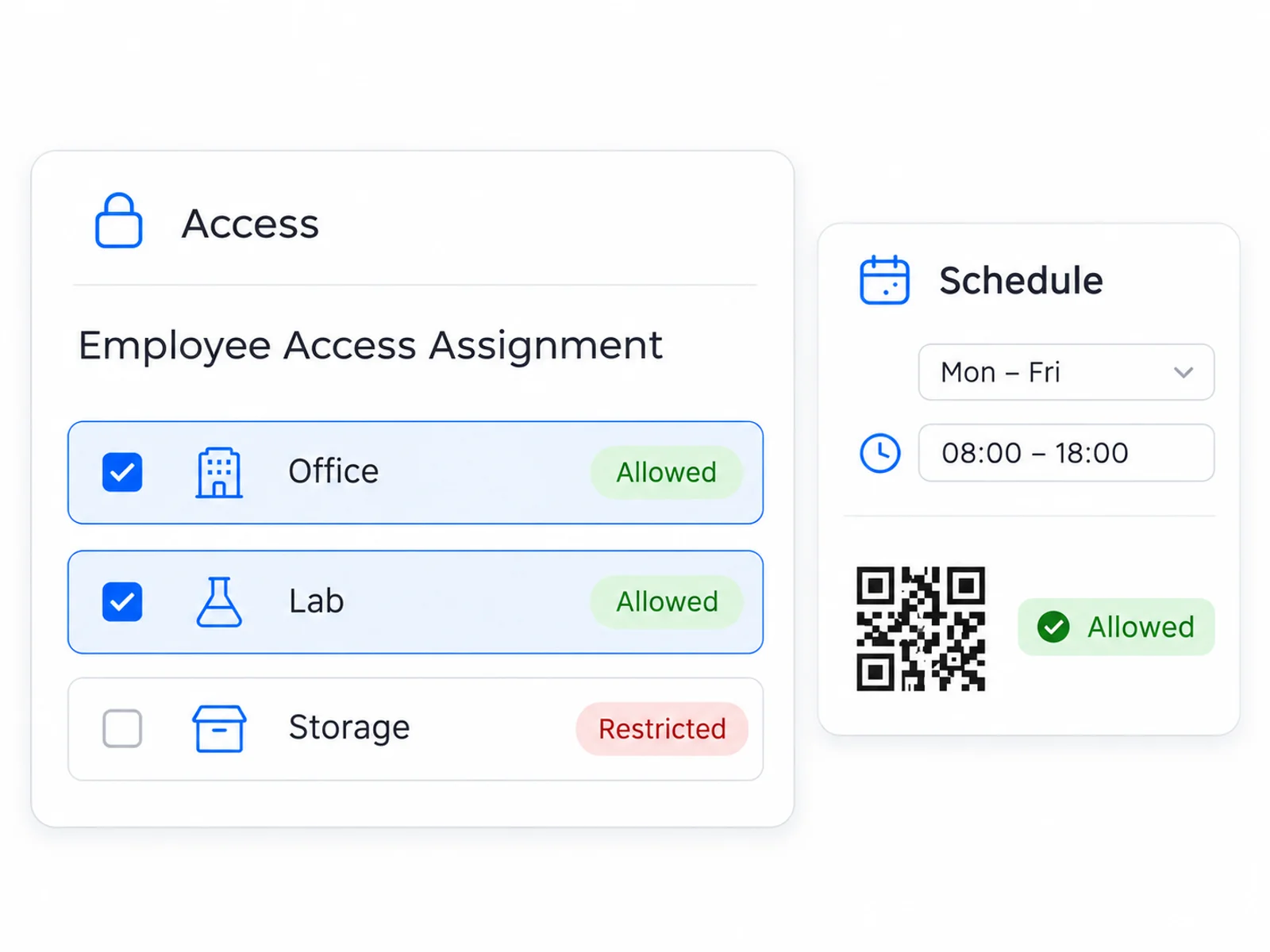
  • Choose allowed areas for employees and visitors
  • Set the days and hours that suit your workplace
  • Limit checks to your organization’s approved scanners
Explore Zones and Access Schedules
Employee zone assignment list beside a weekday schedule and time window

Activity Logs and Reporting

Find and review badge activity and check in records, with clear search tools and easy exports.
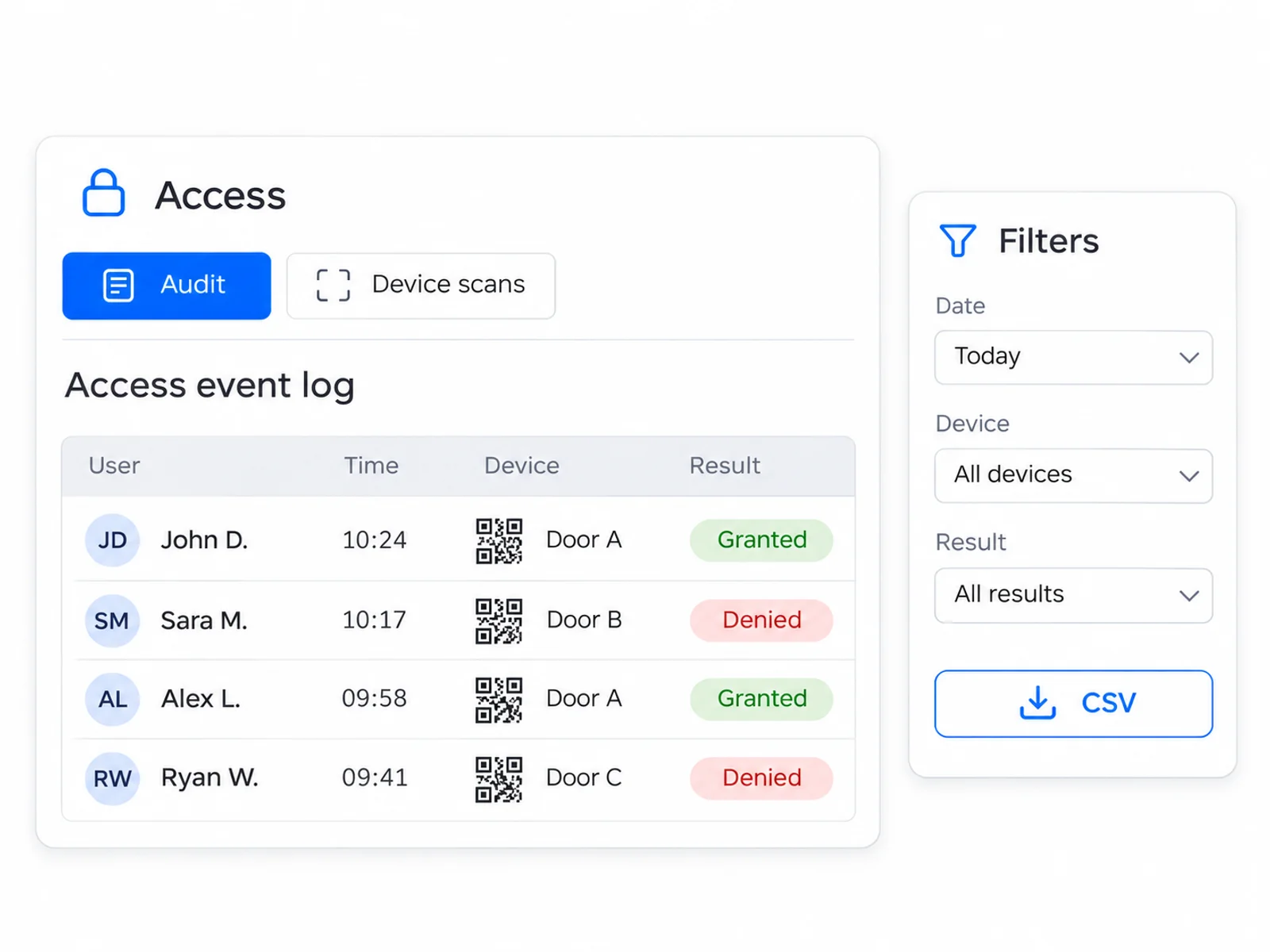
  • Find records with search and date filters
  • Review available details and photos
  • Download matching records to share or review
Explore Activity Logs and Reporting
Audit and device event table with granted and denied results, filters and CSV export

Employee experience

Give employees their digital badge, permitted self service tools and a professional contact card.

Employee Portal

Give employees easy access to their digital badge, personal details and missing card reporting.
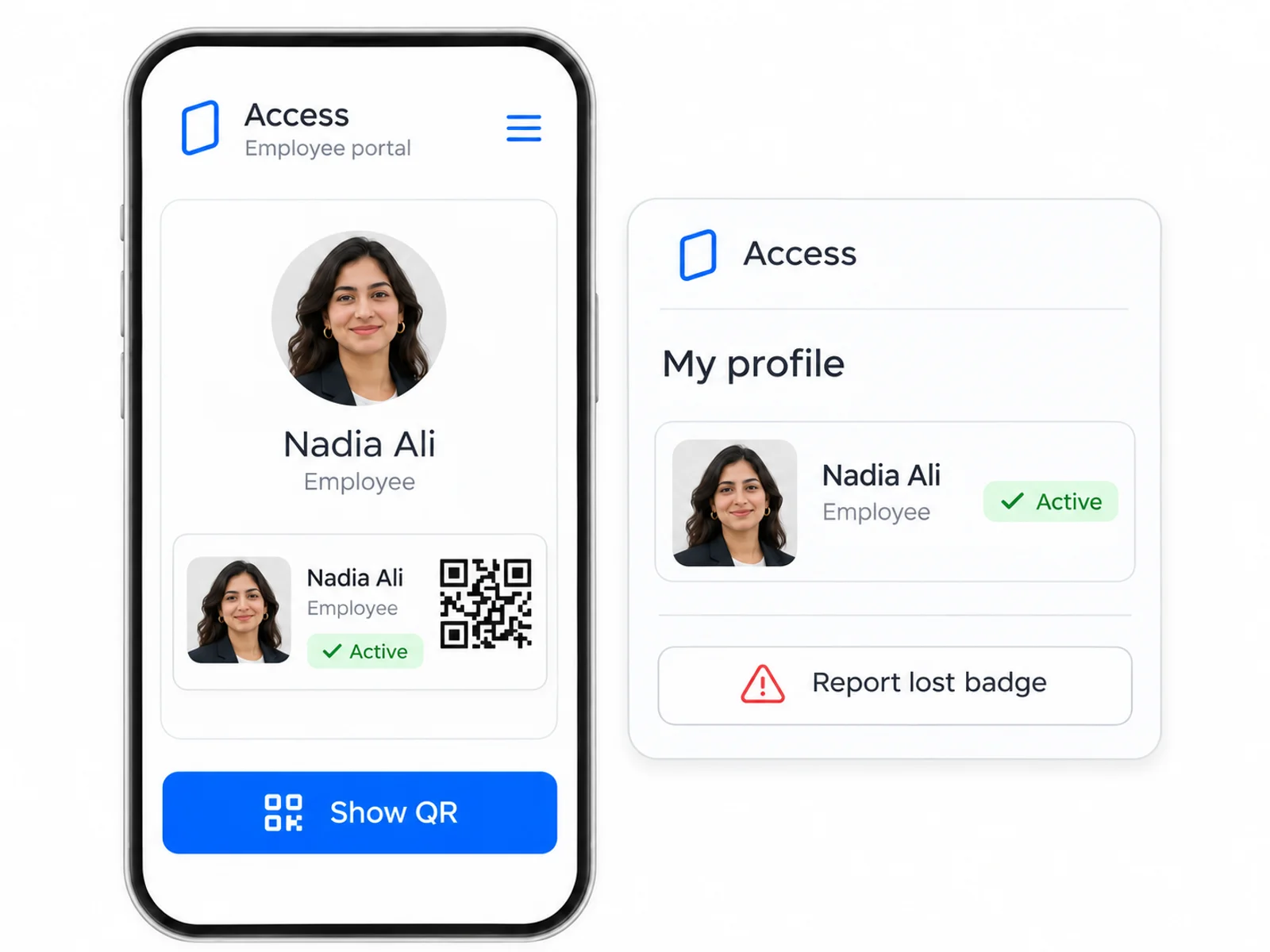
  • Display a digital badge and full screen QR
  • Review and edit permitted profile and personal health fields
  • Report a lost, stolen or damaged active badge
Explore Employee Portal
Employee portal showing a digital badge, enlarged QR action, profile and missing badge report

Digital Business Cards

Help your team share professional contact details through a branded digital business card.
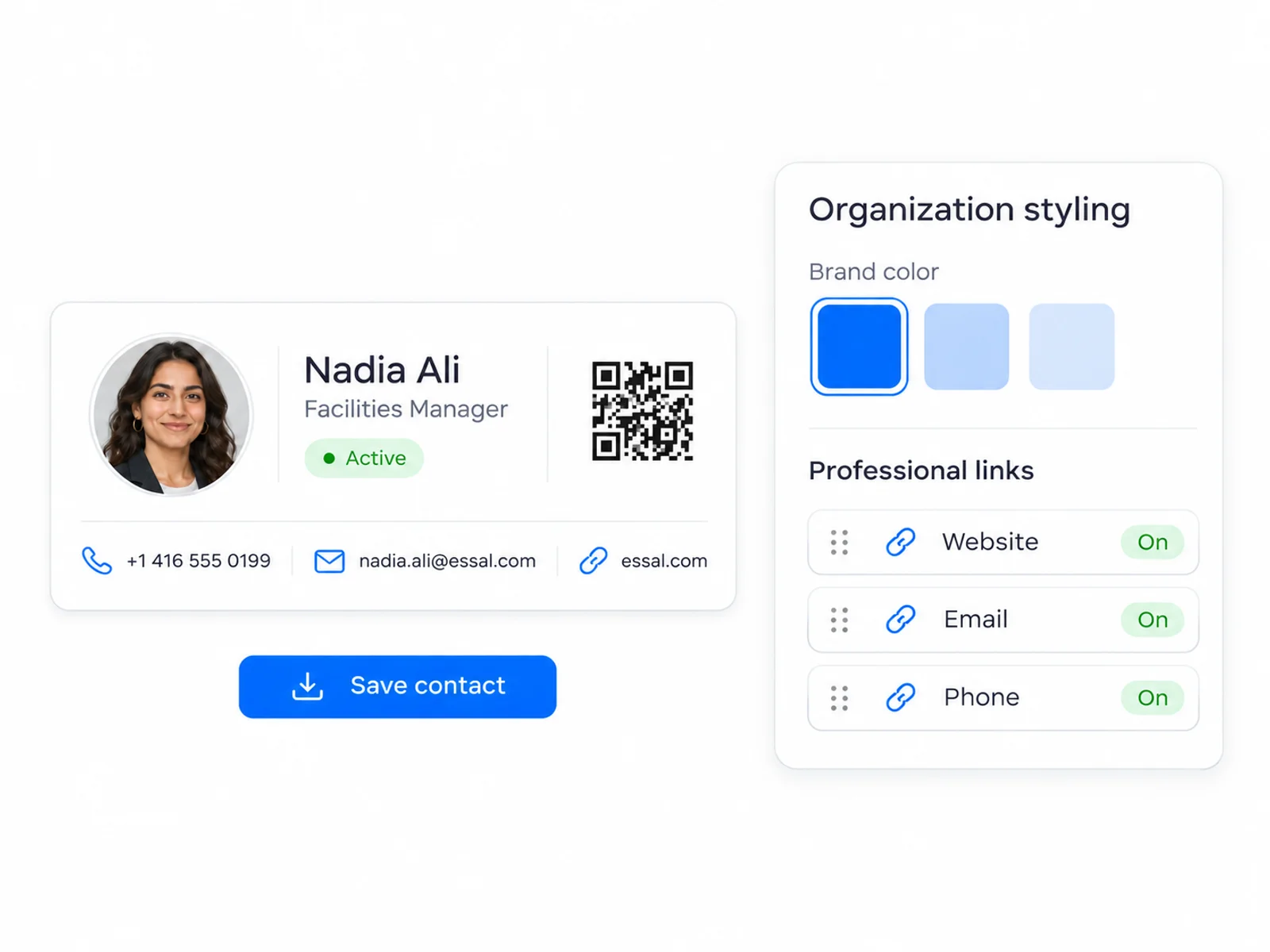
  • Style organization cards with colors, covers and backgrounds
  • Maintain personal contact overrides and ordered professional links
  • Offer direct contact actions and a downloadable vCard
Explore Digital Business Cards
Branded professional contact card with save contact action beside styling and link controls

Guests and passes

Prepare temporary visitor credentials and manage employee entitlements as distinct workflows.

Guest Badge Management

Prepare temporary guest badges with a named host, clear visit times and the right access areas.
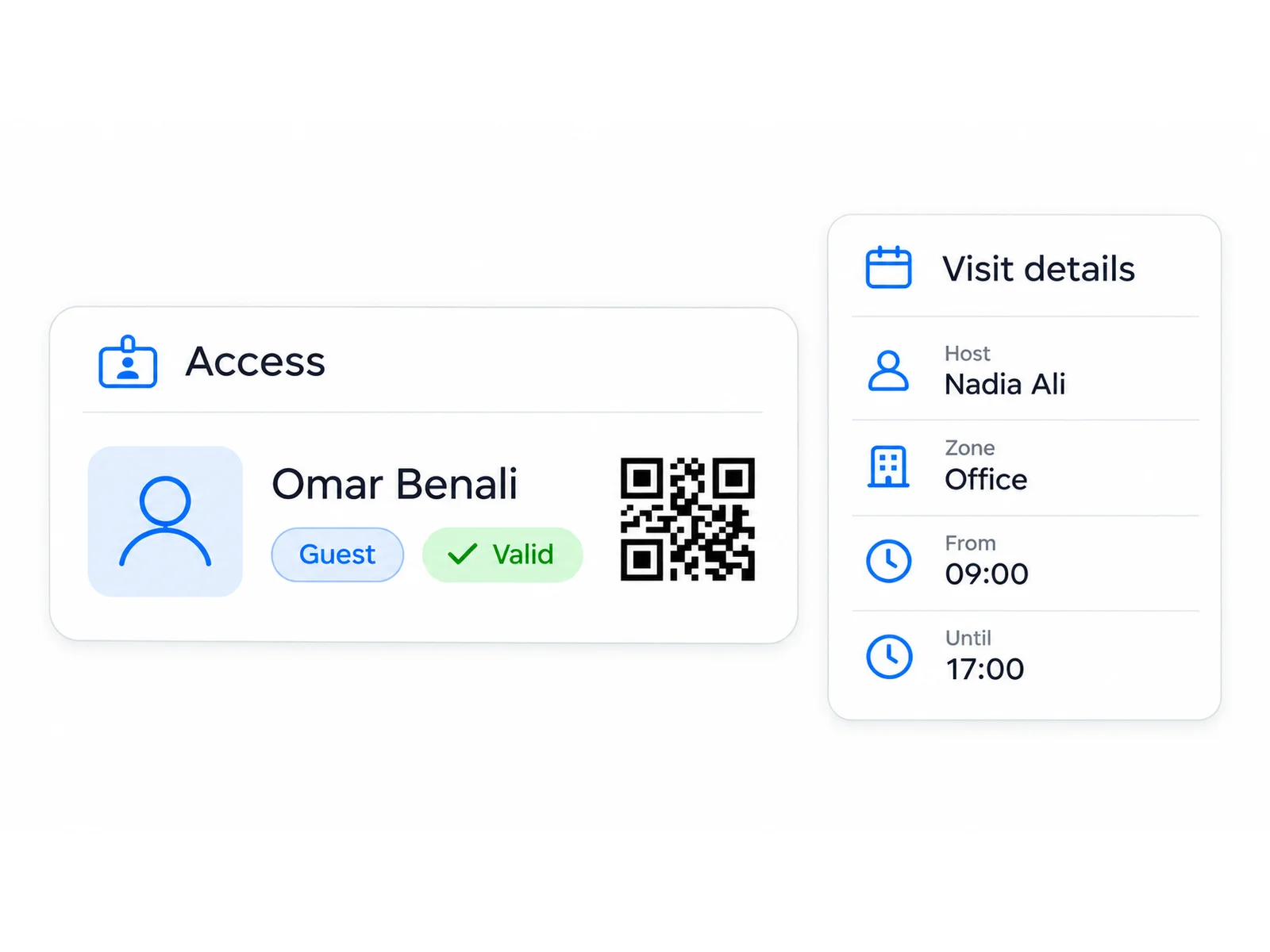
  • Create guest QR credentials separately from employee records
  • Set visit start/end times, host details and access zones
  • Verify, revoke and manage individual or selected guest badges
Explore Guest Badge Management
Temporary guest QR credential beside host, access zone and visit validity details

Employee Passes

Create and manage employee passes with clear validity, reusable types and simple sharing.
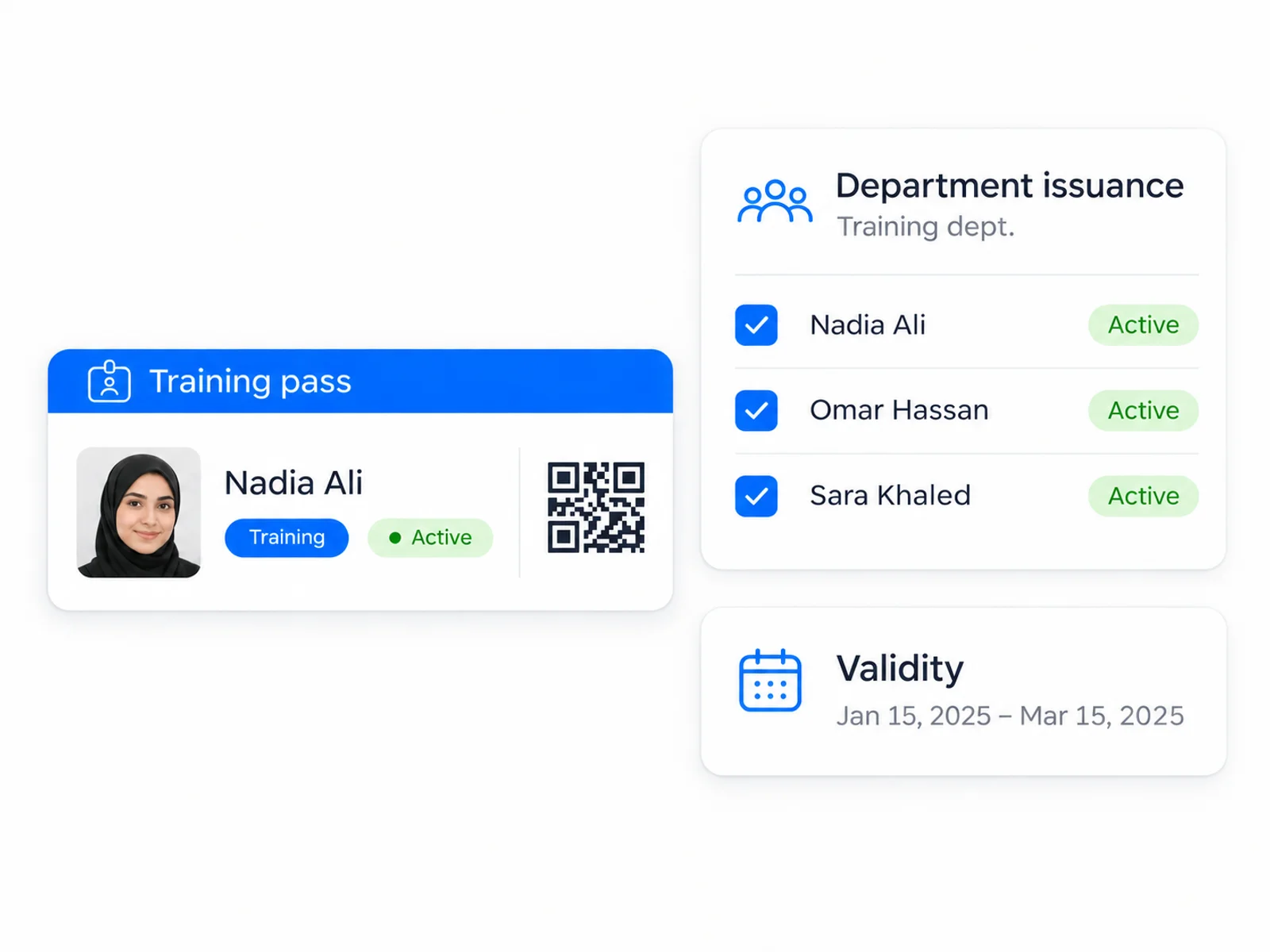
  • Issue a pass to one employee or a department
  • Create recognizable types with names and colors
  • Share verification links and manage expiry
Explore Employee Passes
Employee training pass beside a department recipient list and validity settings

The everyday tools behind the workflow

Badges and identity

Maintain employee records and custom fields. Import and export CSV files, capture portraits and remove photo backgrounds locally.

Check in and security

Enroll and revoke devices centrally. Configure operator preferences, duplicate scan suppression and local device PIN protection.

Employee experience

Control editable fields, health and emergency information, account roles and invitations. Offer supported languages, themes and contextual help.

Guests and passes

Organize departments, access zones and reusable pass types. Apply organization branding and manage records with search and batch actions.

See Access in action

Join forward thinking teams using Access to streamline their operations.